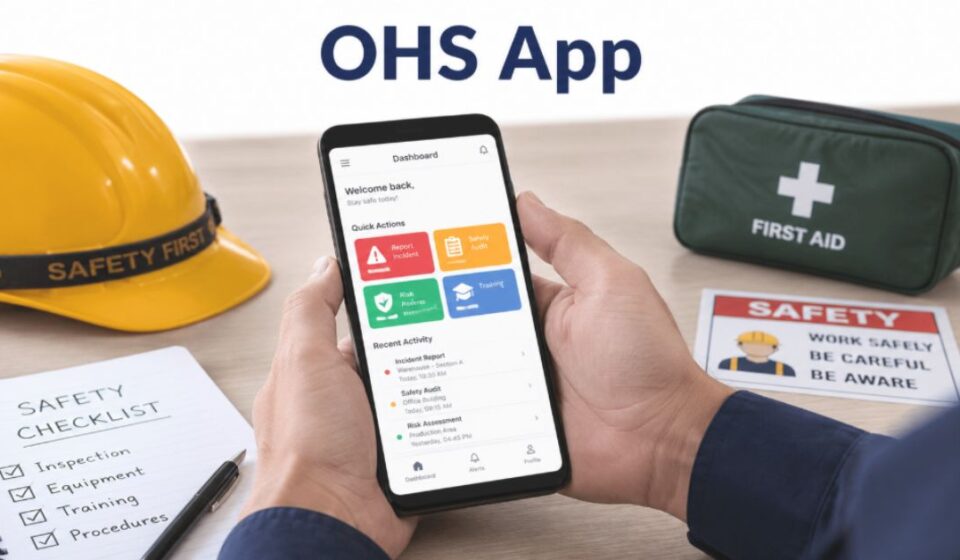

What is an OHS App?
OHS stands for Occupational Health and Safety. An OHS app is a digital tool that helps organizations track hazards, log incidents, and follow safety rules. It replaces manual paperwork with a structured digital system.
Why OHS Apps Matter
Workplaces face many risks, from physical hazards to unsafe practices. An OHS app gives teams one place to spot these risks early. This shifts safety from a reactive task to a planned process.
Types of OHS Apps
Workplace Safety Apps
These apps focus on general workplace safety across industries like construction, manufacturing, and healthcare. They handle inspections, checklists, and hazard reporting in one place.
Marine & Port Apps
Some OHS apps are built for maritime operations. They track vessel activities, crew safety, and port procedures in real time.
Retail/Outlet Apps
Retail-focused OHS apps support store employees and supervisors. They manage daily safety tasks and operational routines specific to outlets.
Government OHS Apps
Government bodies also offer OHS apps to educate employers and workers about legal safety obligations. These apps often explain rules in simple, accessible language.
Key Features
Incident Reporting
Employees can report accidents or unsafe conditions instantly through the app. This speeds up response time and reduces paperwork delays.
Safety Audits
OHS apps allow teams to conduct regular audits using built-in checklists. This ensures safety standards are consistently met across locations.
Risk Assessment
Many apps include tools to identify and rate potential hazards. This helps businesses prioritize which risks need immediate action.
Real-Time Alerts
Instant notifications keep teams informed about safety updates, incidents, or regulation changes. This reduces the chance of missed information.
Emergency Management
Some OHS apps include emergency contact details and nearby service information. This feature supports quick action during critical situations.
How OHS Apps Work
Employees start by logging daily observations through their mobile device. The app sends this information straight to a central dashboard for supervisors.
Supervisors then assign follow-up actions and track each issue until it closes. Over months, this process builds a timeline that teams can review during planning or audits.
Benefits for Employers and Employees
Employers gain a clear view of daily operations without chasing paper files. Managers can also compare safety trends across sites and teams.
Employees get a direct channel to raise concerns without waiting on a supervisor’s schedule. This builds trust and encourages people to speak up early.
How to Choose the Best OHS App
| Factor | What to Check |
| Industry Fit | Does the app match your specific industry needs? |
| Ease of Use | Can employees use it without extensive training? |
| Offline Access | Does it work in areas with poor internet connectivity? |
| Reporting Tools | Does it offer clear, exportable safety reports? |
| Compliance Support | Does it align with local safety regulations? |
Choosing the right app depends on matching these factors to your organization’s size and industry. A construction company will have different needs than a retail outlet.
This app has been personally experienced by our team, and the points above are based on their own insights.
OHS Apps vs Paper-Based Methods
Paper forms often get lost, damaged, or filled out incompletely. Finding a specific record later can take hours of manual searching.
An OHS app stores every entry in one searchable system. Teams can pull up any record in seconds instead of digging through files.
Common Challenges
- Employees may resist switching from familiar paper systems
- Poor internet access can limit real-time features in remote areas
- Initial setup and training require time and planning
- Some apps may not fully match industry-specific requirements
OHS Apps and Legal Compliance
Many industries must keep safety records and report incidents under local law. An OHS app timestamps each entry, so businesses can prove they met these rules.
This lowers the chance of fines during inspections. It also gives regulators a clear trail to review when questions arise.
Future of OHS Apps
OHS apps are expected to rely more on automation and predictive tools in the coming years. This could help identify risks before incidents even occur.
As workplaces become more connected, safety data may link directly with other business systems. This would give managers a fuller picture of overall performance.
Common Misconceptions
Many people assume OHS apps are only for large corporations, but small businesses benefit too. Others believe these apps replace human judgment, when they actually support better decision-making.
Some also think OHS apps are complicated to use. In reality, most modern apps use simple menus and icons that anyone can learn in minutes.
FAQs
What is the full form of OHS?
OHS stands for Occupational Health and Safety.
What is the best safety app?
The best app depends on your industry, team size, and specific safety requirements.
What does OHS outlet stand for?
It refers to OHS apps designed specifically for retail outlet operations and staff.
What are workplace apps?
Workplace apps are digital tools used to manage daily operations, safety, and communication within an organization.
Conclusion
OHS apps have changed how businesses track hazards and stay compliant with safety rules. They offer a faster, more organized alternative to traditional paper-based methods.
Choosing the right app depends on your industry and specific needs. With the right approach, an OHS app can make workplaces safer and more efficient for everyone.
Disclaimer:
This content is for general informational purposes only and does not replace professional occupational health and safety advice. Always follow your local workplace regulations and consult qualified experts when needed.
Explore more topics on :Instamagazine.co.uk