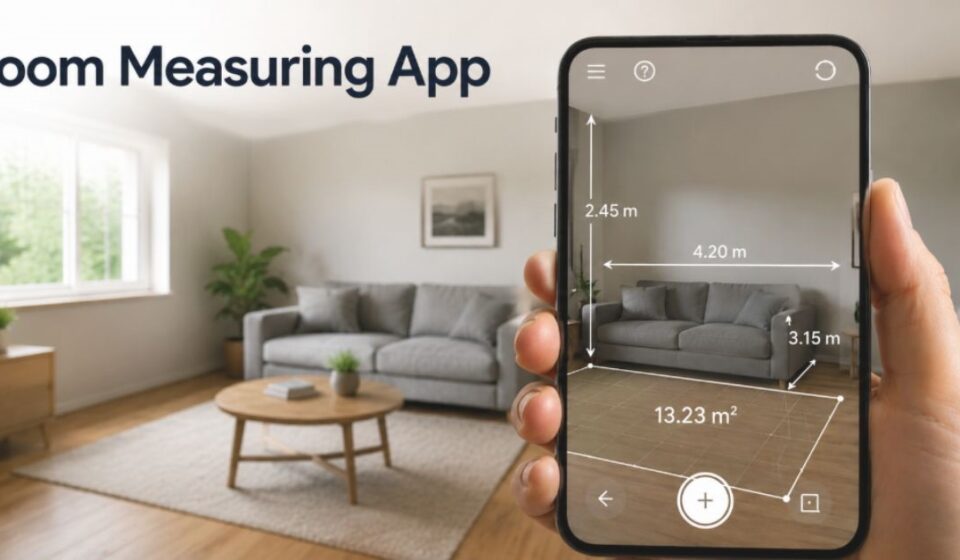

What Is a Room Measuring App?
A room measuring app is a mobile application that calculates room dimensions using a smartphone’s camera and sensors. It replaces the traditional tape measure with digital scanning. Users point their phone at the walls, and the app calculates length, width, height, and total area within seconds.
Why You Need One
Manual measurements take time and often lead to small errors during furniture shopping or renovation planning. A room measuring app speeds up this process and gives instant, shareable results without extra tools or a second person.
How Room Measuring Apps Work
Room measuring apps use the phone’s camera along with motion sensors to track movement across a space. As the device moves, the app calculates distances from visual data. Advanced apps also use depth sensors for sharper results. This combination lets the app build a 3D map of the room as the user scans.
Types of Room Measuring Apps
Room measuring apps generally fall into three categories, each suited to different devices and needs.
AR-Based Apps
These apps use augmented reality to detect surfaces through the camera. Users tap on-screen points to mark corners, and the app calculates the distance instantly.
LiDAR-Based Apps
LiDAR apps use laser pulses and measure how long light takes to bounce back from a surface. This sensor is available only on newer iPhone Pro and iPad Pro models, offering higher accuracy than standard AR scanning.
Photo-Based Apps
These apps generate floor plans from photos taken around a room. The software then processes the images to estimate wall positions and overall size.
Best Apps by Device Type
Choosing the right app depends heavily on the device being used, since sensor availability changes accuracy.
For LiDAR iPhone/iPad Pro Users
Apps like Polycam and Twindo work well on LiDAR-supported devices. They generate exportable 3D models and detailed floor plans suited for professional use.
For Standard Android/iOS Users
Magicplan is widely used on devices without LiDAR. It builds floor plans and calculates square footage using camera-based AR scanning alone.
For Quick AR Measurements
Apps such as AR Ruler or a phone’s built-in measuring tool suit quick, single measurements when a full floor plan isn’t needed.
Key Features to Look For
- Instant area and wall length calculation
- Support for metric and imperial units
- Floor plan export in formats like PDF
- Door and window detection
- Offline scanning capability
How to Measure a Room Step-by-Step
- Open the app and select the scanning mode.
- Slowly move the phone along each wall.
- Let the app detect corners automatically.
- Confirm each wall measurement on screen.
- Save or export the finished floor plan.
How Accurate Are These Apps?
Our team personally tested several room measuring apps across different smartphones and compared the results with manual measurements before sharing the information in this guide.
Accuracy depends on lighting, room shape, and the sensors available on the device. Apps with LiDAR support tend to produce more precise results than standard AR apps. Even so, results can shift in cluttered or dimly lit rooms, so important measurements are worth double-checking before major decisions.
App vs Tape Measure
| Factor | Room Measuring App | Tape Measure |
| Speed | Fast | Slower |
| Precision | Good, varies by device | Consistently precise |
| Ease of Use | Works solo | Often needs two people |
| Best For | Planning and estimates | Construction-level work |
For quick planning, an app is convenient and fast. For construction-level precision, a tape measure remains the more dependable choice.
Best App for Your Profession
Different users prioritize different features when choosing a measuring app.
For Interior Designers
Interior designers benefit from apps that produce detailed floor plans with export options for client presentations.
For Contractors
Contractors need apps with strong accuracy and the ability to generate reports for material estimates.
For Homeowners
Homeowners mainly need simple apps for furniture planning and quick room layout checks.
For Real Estate
Real estate professionals rely on apps that create walkthroughs and shareable floor plans for property listings.
Common Mistakes to Avoid
- Scanning in poor lighting conditions
- Moving the phone too quickly
- Skipping corner confirmations
- Ignoring irregular wall shapes
- Not verifying critical measurements manually
Limitations You Should Know
Room measuring apps struggle in cluttered spaces and rooms with unusual angles or low light. Devices without LiDAR generally produce less precise results compared to LiDAR-equipped models, especially on longer walls.
The Future of Room Measuring
As sensor technology improves, more devices are expected to include built-in depth-sensing hardware. This shift will likely make app-based measurement more common for both personal and professional projects.
Conclusion
Room measuring apps have made space planning faster and more convenient than ever before. While they don’t fully replace professional tools, they offer a practical, accessible solution for everyday measurement needs.
FAQs
Can you measure a room using just a phone?
Yes, most modern smartphones can measure a room using built-in camera and sensor technology.
Which app is best for measuring rooms?
It depends on the device: LiDAR apps suit Pro models, while Magicplan works well on standard phones.
Are room measuring apps accurate?
They are generally accurate enough for planning, though small errors can appear in complex or cluttered spaces.
Can I measure a room from a picture?
Some apps build floor plans from photos, but live scanning through the camera is usually more reliable.
Disclaimer:
This article is for informational purposes only and is based on research, hands-on testing, and publicly available information to help readers understand room measuring apps.
Read more topics on :Instamagazine.co.uk