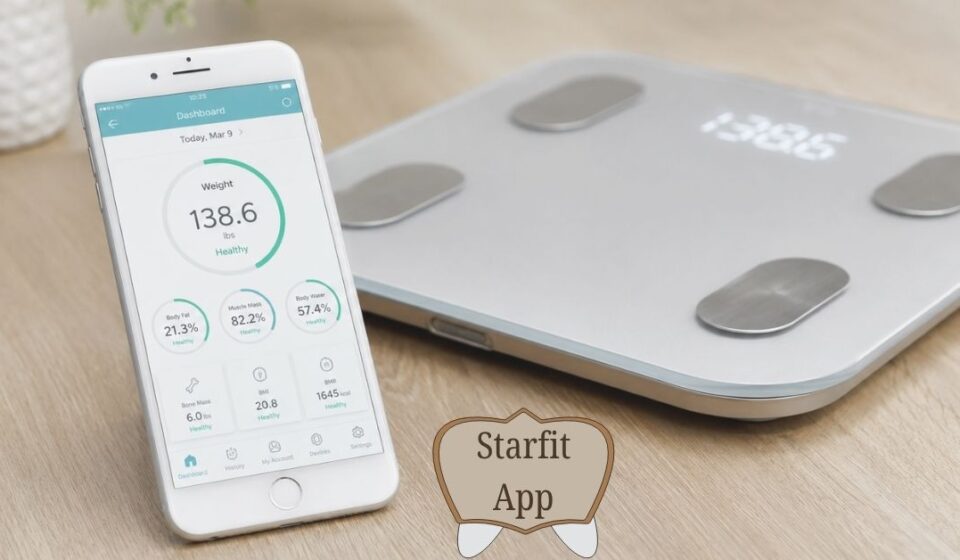

What Is Starfit?
Starfit is a health and fitness app that helps people track their body and stay active at home. The app brings fitness tools directly to your smartphone and removes the need for a gym.
Two main versions exist. One version connects with a smart scale and tracks your body data. The other version shows you workout videos led by professional trainers. Both versions serve different needs but share the same goal, to help you stay healthy.
Version 1: Body Tracking App (by RUNSTAR FL INC.)
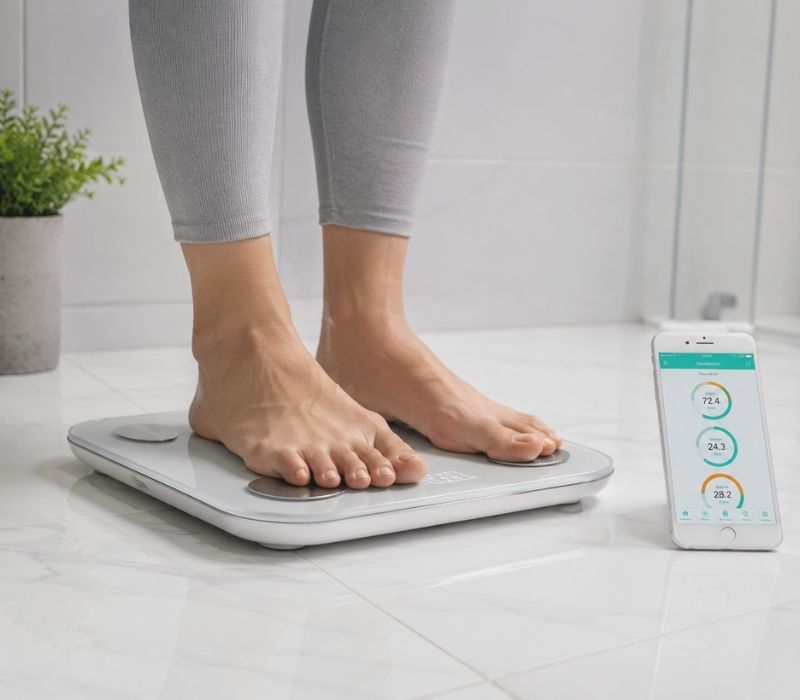
This version works with a smart weighing scale. You step on the scale, and the app reads your body data automatically. It launched on December 30, 2021, and supports many languages including English, Chinese, Japanese, and Korean.
The app measures and tracks the following:
Body fat percentage: shows how much fat your body carries
Muscle mass: tracks your strength gains over time
Body water percentage: monitors your hydration levels
Bone mass: keeps a record of your bone health
BMI (Body Mass Index): tells you if your weight is healthy
Basal metabolic rate: calculates how many calories you burn at rest
Body age: compares your body health to your real age
The app also includes a Baby & Pet Weight Mode. You hold your baby while standing on the scale, and the app calculates the baby’s weight separately. This feature helps new parents track their baby’s growth easily.
The app stores all your data in the cloud. You can view your health history on any device. It also connects with Apple Health on iPhone and shares your weight, BMI, and body fat data with permission.
The app supports multiple family members under one account. Each person gets their own profile. This makes the smart scale useful for the whole family.
Version 2: Home Workout App (by FITSTARS FZCO)

This version focuses entirely on exercise. It launched worldwide in 2025 after a successful beta period. You do not need any equipment, just follow along with the video trainers on your phone.
The app offers:
Over 200 workout videos across more than 20 training programs
Programs for weight loss, yoga, stretching, abs, glutes, and meditation
Professional trainers who are champions and masters of sport in their fields
Offline access: download workouts and use them without internet
A healthy recipe section for better nutrition
Seasonal events with 30 free workouts for 30 days
Progress tracking with badges and workout streaks
Blog articles that teach you about fitness, nutrition, and recovery
The app syncs your progress across your phone and computer. It also filters workouts by time of day (morning, afternoon, or evening), fitness level, and body focus area.
Privacy for Beginners
Many people feel embarrassed exercising in front of others. They worry about looking foolish or being judged. With Starfit, you exercise alone at home. No one watches you. No one comments on your form. You can pause, rewind, or stop anytime. This privacy helps beginners build confidence.
User-Friendly Interface
The Starfit app has an intuitive design. Anyone can use it without training. You can filter workouts by time of day: morning, afternoon, or evening — as well as by fitness level and focus area. The main page shows popular programs in a carousel format.
How Starfit Educates You About Body Fitness
The app includes blog articles covering:
Fitness tips and techniques
Health and wellness
Nutrition advice
Recovery and motivation
You learn why certain exercises work and how nutrition affects your body. This knowledge helps you make better decisions even outside the app.
Language Support
The Starfit app supports 11 different languages:
English
Chinese (Simplified and Traditional)
Japanese
Korean
German
French
Spanish
Italian
Russian
Portuguese
This makes the app accessible to users across many countries.
App Size and Storage Requirements
The body tracking version takes up approximately 301 MB of storage space on your phone. The workout version requires about 283 MB. You will also need additional free space for saving offline workouts and storing measurement history.
Customer Support Availability
The developer of Version 1 (RUNSTAR) provides email support at service@runstar.com for technical issues. Response time typically ranges from 24 to 48 hours. The app also includes a built-in FAQ section that answers common user questions.
Offline Access
You can save workouts directly to your phone. This means you do not need an internet connection to exercise. You can work out anywhere; in a park, hotel room, or basement. The workouts stay on your phone until you delete them.
Starfit App Recipe Section
The app includes a section with healthy recipes. These recipes help you eat better while you exercise. Good nutrition combined with exercise gives better results. The recipe section was a long-awaited feature that users had requested for a long time.
How It Works
1. Syncs with your plan: The app already knows your weight, height, target calories, and protein from your profile. The Recipe section uses that data.
2. Filters recipes: It shows only recipes that fit your calories and macros for that meal. For example, if lunch = 500 cal, 30g protein, you see only meals in that range.
3. Step-by-step cooking: Tap a recipe, you get an ingredients list and a step-by-step cooking timer. The app walks you through each step like a coach.
4. Auto logs: When you mark “Cooked it”, the calories and macros go straight to your daily food diary. No manual entry needed.
Types of Recipes You Get
| Goal | Recipe Types |
| Weight Loss | Low-calorie, high-protein: Grilled chicken salad, Oats chilla, Lentil soup, Greek yogurt bowls |
| Muscle Gain | High-calorie, high-protein: Chicken + rice, Paneer bhurji + roti, Protein smoothies, Egg bhurji |
| Vegetarian / Non-Vegetarian | You set the filter. The app shows only veg or non-veg based on your choice. |
| Time-Based | 10-minute recipes, 20-minute recipes, meal-prep for 3 days |
Seasonal Events
The Starfit app runs special monthly programs called seasonal events. These events give you access to 30 workouts for 30 days completely free. You can explore all the app content through these events, which helps you decide if you want to subscribe.
How Much Does Starfit Cost?
Starfit uses a freemium model, meaning the app is free to download with optional paid subscription features for full access:
You can download and use the app for free
The first workout in every program is free
Seasonal events give you 30 days of full access at no cost
The body tracking version (RUNSTAR) is free to download, but you need to purchase a compatible smart scale to use all its features
A paid subscription unlocks the full library of workouts beyond the free tier
Why Should You Use the Starfit App?
Starfit solves common problems that stop people from exercising regularly:
Convenience: you exercise at home, any time you want
Cost savings: the app costs much less than a gym membership or personal trainer
Privacy: beginners can work out alone without feeling judged
Guidance: expert trainers show you exactly what to do and how to breathe
Data: real numbers prove your progress even before the mirror shows changes
Variety: hundreds of workouts prevent boredom and keep you motivated
No equipment needed: your body weight provides all the resistance
Device Requirements
iPhone Users
For the workout version (iOS): requires iOS 13.0 or later. Works on iPhone, iPad, iPod touch, Mac with Apple M1 chip, and Apple Vision Pro.
Android Users
Android users can find both apps on the Google Play Store. Most modern Android phones support them.
Advantages & Disadvantages of the Starfit App
| ✅ Advantages | ❌ Disadvantages |
| Helps users track their daily fitness activities in one place. | Some features require a paid subscription. |
| Motivates people to exercise regularly by setting goals. | Certain functions depend on an internet connection. |
| Users can monitor their progress over time and improve their fitness habits. | Fitness data may not always be completely accurate. |
| Convenient, can be used anytime through a smartphone. | Users unfamiliar with technology may find some features difficult to use. |
What Users Say About Starfit
Users share both positive and negative feedback about the Starfit app:
The body tracking version receives a 4.1-star rating from over 1,000 reviews on Google Play.
Users praise the detailed health data and easy-to-read graphs.
Some users report Bluetooth connection issues with certain Android phones.
A recent app update removed the Share Report button, which some users miss.
The workout version is newer, so fewer reviews exist. Early users respond positively to the trainer quality and the variety of programs available.
Comparison With Other Fitness Apps
| Features | StarFit App | MyFitnessPal | Strava |
| Primary Focus | Body composition & smart scale data | Calorie counting & diet tracking | Cardio, running & cycling tracking |
| Core Cost | Free (premium subscription available) | Free (Premium: $19.99/mo) | Free (Premium: $11.99/mo) |
| Body Metrics Tracked | 20+ metrics (BMI, visceral fat, muscle mass) | Weight, BMI, basic measurements | Weight only |
| Nutrition Tracking | Built-in recipe sessions & meal plans | Extensive food database & barcode scanner | None |
| Workout Features | On-demand fitness video sessions | Logging exercises manually | GPS routing, live pace, audio cues |
| Hardware Sync | Smart Scales (via Bluetooth) | Fitness Trackers (Fitbit, Garmin) | Smartwatches, Bike Computers |
| Data Export | Apple Health, Google Fit, Fitbit | Most major health platforms | Garmin Connect, Wahoo, Apple Health |
| Best Used For | Tracking physical body changes over time | Managing daily caloric intake | Tracking outdoor running and cycling |
Our Editorial Take
Starfit offers the best of both worlds in one place. Many fitness apps only track your data or only provide workouts, but Starfit connects your smart scale measurements directly to your exercise programs.
This means you can see your body fat percentage drop right alongside your workout progress, which keeps you motivated. The offline workout feature also gives you the freedom to exercise anywhere without needing an internet connection. For someone who wants a complete fitness solution without buying multiple apps or subscriptions, Starfit delivers real value at a reasonable price.
Which Version Is Right for You?
It depends on your needs:
Choose the body tracking version if you want to monitor your health metrics and own (or plan to buy) a smart scale.
Choose the home workout version if you want to exercise at home with video guidance and no equipment required.
Frequently Asked Questions (FAQs)
Here are the most common questions people ask about the Starfit app, sourced from the official Runstar support pages and app store listings.
Q: How do I connect the Starfit app to my smart scale?
Download the Starfit app and complete registration. Then tap ‘Account’ and go to ‘My Devices’. Tap the ‘+’ icon in the upper right corner, then tap the Bluetooth logo to search for devices. When you see ‘Runstar-RX’ (the scale’s Bluetooth name), tap it to complete the connection. A connected icon will then appear on the scale’s display.
Q: Why won’t my scale connect to the Starfit app?
Make sure you connect the scale through the Starfit app itself — not through your phone’s main Bluetooth settings menu. Also check that no other nearby devices are already connected to the scale. If they are, disconnect them first and then try pairing again.
Q: Can the Starfit app be used on an iPad?
No. The Starfit app currently does not support iPad and cannot be used to connect with the scale on an iPad. It is recommended to use an iPhone or Android smartphone instead.
Q: How do I compare my body data between two different dates?
Go to the ‘Chart’ page in the Starfit app. You can filter data by Recent, Week, Month, or Year. To compare two specific dates, tap ‘User Data’, click the ‘+’ button in the top right corner, select ‘Contrast’, choose your dates from the calendar, pick the data you want to compare, and tap the confirm button at the bottom.
Q: How do I turn off background sound on my Runstar scale?
Go to ‘My Devices’ in the Starfit app, tap your device name to open its detail page, and drag the volume bar to turn off ‘Background Music’ or ‘Voice Assistant’. You can turn off each sound type individually.
Q: Does Starfit offer a free trial?
Yes. The first workout in every program is completely free. Starfit also runs seasonal events that give you access to 30 full workouts for 30 days at no cost. This lets you try the platform before deciding to subscribe.
Q: What health metrics does the Starfit body tracking app measure?
The app measures over 20 body metrics including BMI, body fat percentage, muscle mass, body water percentage, bone mass, visceral fat level, subcutaneous fat rate, basal metabolic rate, and body age.
Q: Does Starfit work without an internet connection?
Yes, for the workout version. You can download workout videos to your phone and access them offline. However, some features such as syncing data and accessing online content require an internet connection.
Q: Can multiple family members use the same Starfit account?
Yes. The body tracking version supports multiple user profiles under a single account, making it suitable for the whole family to track their individual health data.
Q: What should I do if I have a technical problem with the app?
You can contact the RUNSTAR support team by email at service@runstar.com. The team typically responds within 24 to 48 hours. You can also access the built-in FAQ section inside the app by going to Account > Settings > FAQ.
Disclaimer
| This article is written for informational and educational purposes only. We are not affiliated with, sponsored by, or partnered with Starfit, RUNSTAR FL INC., or FITSTARS FZCO in any way. We are not promoting this app, and we do not earn any commission or financial benefit from mentioning it.All information is based on publicly available sources at the time of writing. App features, pricing, and availability may change over time. Nothing in this article should be considered medical advice. Always consult a qualified healthcare professional before making health or fitness decisions. |
If you want to get information about trending app, visit our website “Insta Magazine“.