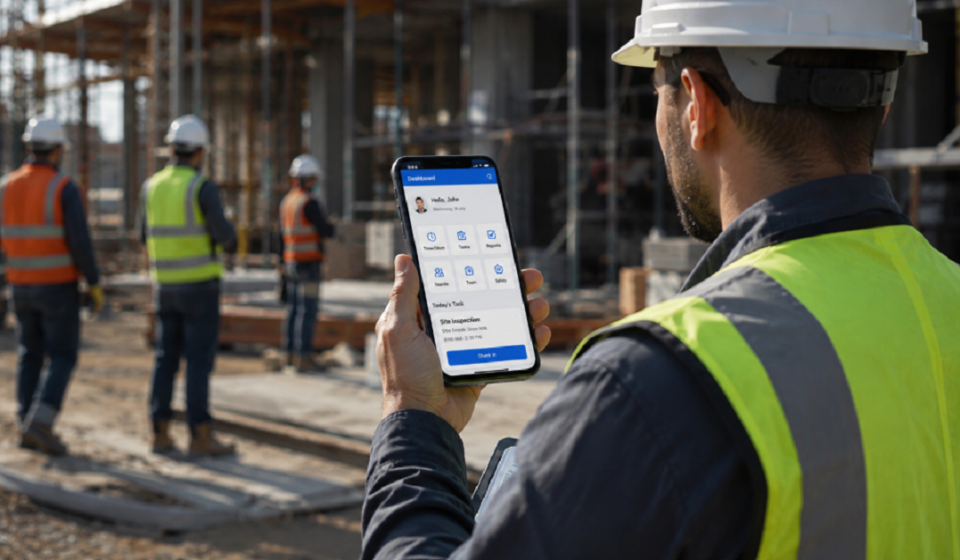

What is a Mobile Worker App?
Picture a construction manager tracking forty workers across five sites using only phone calls and paper sheets. This is the daily reality for businesses without the right tools.
A mobile worker app is a digital tool that helps companies manage employees who work outside a traditional office. Field teams log hours, receive tasks, and share updates directly from their phones, while managers track progress in real time without paper reports or constant calls.
Why Businesses Need Mobile Workforce Management Today
Field teams often move across multiple locations in a single day. Without a digital system, managers lose visibility over who is working where, and unclear task ownership leads to delays or repeated work.
A mobile worker app closes this gap by connecting every worker to one central system, giving businesses the visibility to plan better and react faster. This visibility matters most once you look at how time itself gets tracked in the field.
Time Tracking and Digital Hours Registration
Accurate time tracking is one of the biggest reasons companies adopt mobile worker apps. It replaces manual timesheets with a system that records hours as work actually happens, not hours later from memory.
Manual vs Automated Time Logging
Manual logging depends on memory and paper sheets, which often leads to rounded or inaccurate entries. Automated logging captures start and end times instantly, removing guesswork from the process.
Payroll Integration
Recorded hours move directly into payroll systems, cutting out the manual step of calculating wages from paper sheets every week.
Overtime and Budget Monitoring
Managers can compare actual hours against planned budgets in real time. This makes it far easier to catch overtime early, before it silently eats into project margins.
Task Assignment and Resource Planning
Once hours are tracked, the next question is simple: who does what, and when? Managers can assign jobs to specific workers directly through the app, and each worker sees their task list without needing a phone call.
This also strengthens resource planning. Managers can instantly see who is free, avoid overbooking staff, and shift resources to urgent jobs as priorities change.
GPS Tracking and Geofencing
Knowing what a worker is assigned to is only half the picture; knowing where they actually are completes it. GPS tracking shows the live location of field workers on a map, giving managers a real-time view of team movement.
Geofencing takes this further by creating virtual boundaries around specific sites, such as client locations or job zones. The moment a worker enters or exits that boundary, the system sends an automatic alert, which is particularly useful for confirming on-site arrival times without manual check-ins.
Safety, Compliance and HSE Checklists
Field work often carries real safety risks, especially in construction and logistics. Mobile worker apps help businesses meet safety standards without depending on paper forms that are easy to lose or delay.
Incident Reporting
Workers can report accidents or hazards directly from the field, creating an instant record instead of a delayed handwritten report.
Pre-Built Safety Checklists
Apps often include ready-made checklists for daily inspections, which workers complete before starting a task to support compliance.
Lone Worker Protection
Some apps include check-in features and panic alerts for employees working alone, allowing managers to respond quickly if help is needed.
Offline Mode and Real-Time Data Sync
Not every job site has reliable internet, especially in remote or underground locations. A good mobile worker app allows workers to keep logging data offline without losing any progress.
Once the device reconnects, all stored data syncs automatically. This ensures that a lost signal never means lost information, which matters most on the sites where connectivity is weakest.
Industries That Benefit Most from a Mobile Worker App
| Industry | Common Use |
| Construction | Time tracking, safety checklists, project monitoring |
| Logistics | GPS tracking, delivery updates, route management |
| Field Service | Task assignment, job scheduling, service reports |
| Sales Teams | Client visits, geofencing, activity tracking |
These industries share one challenge: managing teams that are rarely in one place at the same time. A mobile worker app gives each of them a shared system built around that same problem.
Benefits for Business Owners and Employees
Business owners get better visibility into daily operations without needing constant check-in calls. This visibility leads to fewer errors, lower operational costs, and faster decisions when problems arise.
Employees benefit in a different way. Digital tools cut down paperwork, simplify task updates, and give workers a clear view of what is expected of them each day.
Cost Factors and ROI of a Mobile Worker App
Pricing usually depends on three things: number of users, selected features, and whether a web portal is included. Many providers charge a monthly fee per active user, while larger operations often need advanced modules like geofencing, which raises the cost.
Return on investment typically comes from fewer scheduling errors, reduced paperwork, and more accurate payroll. Over several months, these savings often outweigh the subscription cost, especially for teams larger than fifteen workers.
Our team has actually used a mobile worker app for field operations, and the insights in this guide are shaped by that hands-on experience and feedback.
How to Choose the Right Mobile Worker App
Choosing the right app depends on your team’s specific needs, not just the most popular option in the market.
Key Features to Look For
Focus on features your team will use daily, such as time tracking or safety checklists, rather than paying for extras that sound impressive but go unused.
Scalability and Team Size
The app should support your current team size while leaving room to grow. A system built for ten workers may struggle once that number reaches two hundred.
Ease of Use and Onboarding
Field workers need a simple interface they can learn within minutes. A complicated app often leads to low adoption, no matter how strong its feature list looks on paper.
Common Challenges in Implementation and How to Solve Them
Some employees resist switching from paper to digital systems. Clear training and a simple app interface usually reduce this resistance within a few weeks.
Poor internet access in remote areas can also disrupt data entry. Choosing an app with strong offline functionality solves this before it becomes a daily frustration.
Data security is another concern, since apps store location and payroll information. A provider with proper encryption and access controls protects this data from misuse.
The Future of Mobile Workforce Management
Mobile workforce management is moving toward smarter, more automated systems. Many providers are now adding real-time analytics dashboards to help managers make faster, data-backed decisions.
Artificial intelligence is also becoming part of these platforms. It can help predict scheduling conflicts, flag potential safety risks, and optimize task distribution without manual input.
Conclusion
Field work has always been harder to manage than office work, simply because teams are scattered and updates arrive late. A mobile worker app removes that gap, replacing scattered paperwork with one connected system that everyone can rely on.
The businesses that adopt this shift early are not just saving time. They are building a workforce that is easier to trust, easier to track, and far easier to grow.
Disclaimer:
This article is written for informational purposes only. For the latest features, pricing, and updates, readers can visit the official app or platform directly.
Read more topics on :Instamagazine.co.uk