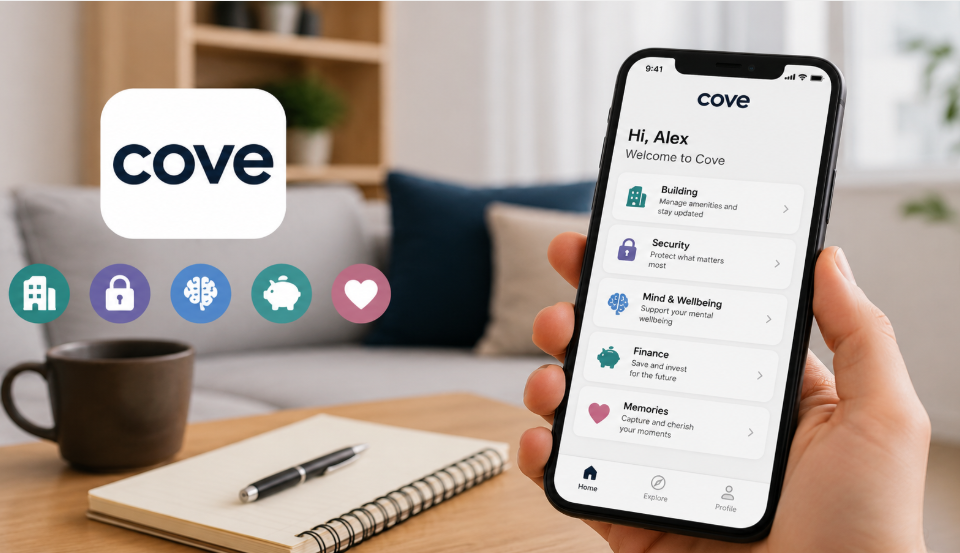

Search for “Cove App” and you will find several different apps, not one. Each one solves a different problem, from managing a building to saving money. This guide explains every Cove app in simple words so you know exactly which one fits your needs.
What is Cove App
Cove is not a single app. It is a name used by multiple independent companies for different products. These apps work in areas like buildings, journaling, mental health, artificial intelligence, finance, and home security. They share only the name, not the purpose.
Our team has personally used these apps and gathered real feedback along the way. Everything shared here reflects that direct experience.
How the Many Apps Are Named Cove
At least six apps currently use the Cove name. One manages office and residential buildings. One lets people document their daily life. One supports mental health through music. One was an AI thinking tool that joined Microsoft. One helps users save and invest money. One controls home security systems. Each app has its own company, features, and audience.
How the Building Cove App Works
The building Cove app acts as a digital pass for offices and residential buildings. Users check upcoming events, book amenities, and manage daily building activities directly from their phone. It replaces paper sign-ups and front-desk requests with a simple app screen.
Key Features of the Building App
- View upcoming building events
- Sign up for fitness classes
- Book amenities like gyms and meeting rooms
- Access building services from one app
Who Should Use It
This app suits people who live or work in a managed building with shared amenities. Office employees and residents benefit most, since it centralizes tasks that once needed phone calls or in-person requests.
What You Can Do With the Journaling Cove App
This Cove app works as a personal space to save memories. Users store photos, videos, links, notes, and music in one place. The app avoids ads and algorithm-based feeds, so content stays private and organized without distractions common on social media.
How the Mental Health Cove App Helps
This version was designed to help users express and track emotions using music instead of words. It was reviewed by the UK’s National Health Service for data privacy and clinical value. The app is not a replacement for therapy and is unsuitable for people facing severe distress.
The AI Cove App and Its Microsoft Acquisition
Cove.ai built a visual workspace where people could think and collaborate using artificial intelligence. It aimed to change how individuals and teams interact with AI during daily work.
What the AI App Offered
The platform gave users a visual, structured space to organize ideas with AI support, moving beyond simple text-based chat interactions.
What the Microsoft Deal Means
Cove.ai has joined Microsoft. This means the original standalone product is now part of Microsoft’s broader technology offerings rather than operating as an independent app.
How the Finance Cove App Helps You Save
This Cove app turns saving and investing into an interactive experience. Users grow a virtual space as their savings increase, making the process feel less like traditional banking. The company states clearly that it is not a bank itself.
How the Security Cove App Protects Your Home
The security-focused Cove app, often called Cove Connect, lets users manage a home alarm system remotely. It connects to sensors and a central hub, giving homeowners control from anywhere.
Key Features of the Security App
- Arm and disarm the system remotely
- Receive real-time activity notifications
- Group sensors into a favorites list
- Support for Wear OS smartwatches on newer versions
Who Should Use It
Homeowners using a Cove security system rely on this app for daily monitoring. It fits people who want remote control over their alarm without needing physical access to the panel.
How to Choose the Right Cove App for You
Choosing the correct Cove app depends entirely on your goal. Since each app serves a different purpose, checking your specific need first prevents confusion during download.
Compare by Purpose
| Cove App Type | Main Purpose |
| Building App | Manage office or residential amenities |
| Journaling App | Save personal memories privately |
| Mental Health App | Support emotional wellbeing through music |
| AI App (Cove.ai) | Visual AI-assisted thinking, now under Microsoft |
| Finance App | Save and invest money interactively |
| Security App | Control a home alarm system |
Compare by Rating and Reviews
Based on Google Play listings, the building app holds a 2.8 out of 5 rating from 15 reviews. The security-related Cove Connect app holds 2.6 out of 5 from 1,456 reviews. Ratings vary by store and update over time, so checking the current listing before downloading is worthwhile.
Pros and Cons of Cove App
- Advantage: Each app focuses on one clear purpose instead of mixing features
- Advantage: Several apps avoid ads and algorithm-driven feeds
- Advantage: Remote control features add convenience for buildings and security systems
- Drawback: The shared name across unrelated apps creates confusion
- Drawback: Some user reviews mention login errors and support delays
- Drawback: The mental health version is no longer available for download
How Safe Is Your Data on Cove App
Data safety depends on which Cove app you use, since each has a separate privacy policy. App store listings for these apps disclose data collection practices to users before installation. Reviewing the specific app’s privacy policy before signing up remains the safest approach.
What’s Next for Cove App
The clearest recent development is Cove.ai joining Microsoft, shifting that product’s future into Microsoft’s ecosystem. The other Cove apps continue operating independently under their original companies, with updates reflected in their respective app store listings.
Frequently Asked Questions
Is Cove App a single company?
No. Multiple separate companies use the Cove name for unrelated apps.
Which Cove app is used for home security?
The security-focused app, also called Cove Connect, controls alarm systems and sensors remotely.
Did Cove.ai shut down? No. Cove.ai joined Microsoft, so it now operates as part of Microsoft rather than as a standalone company.
Is the Cove mental health app still available?
No. This version is no longer available for download.
Is the Cove finance app a bank?
No. The company states directly that it is not a bank.
Disclaimer:
This guide combines our team’s hands-on experience with these apps and publicly available information. Details may change over time, so check the official app pages before downloading.
Read more topics on :Instamagazine.co.uk