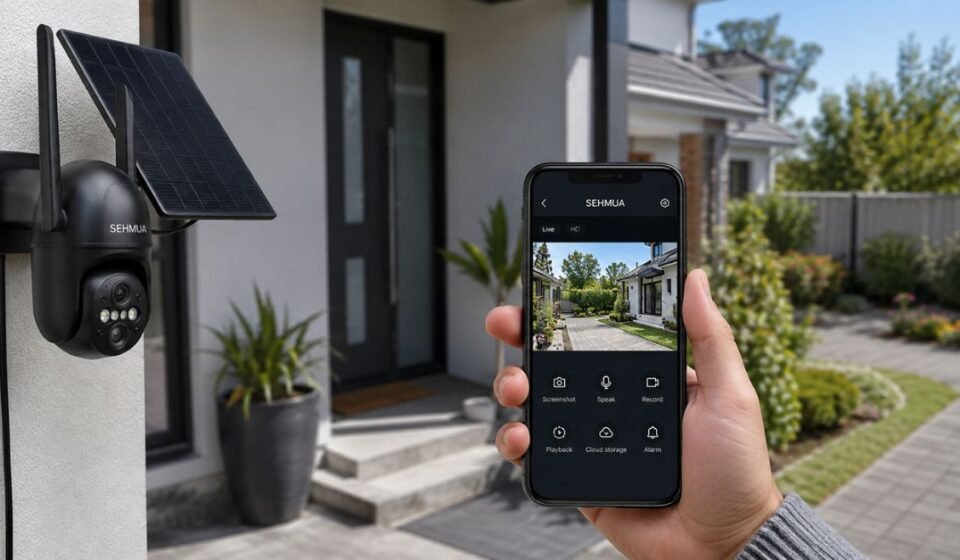

What is Sehmua Camera App
Sehmua is a home security brand that also makes trail and hunting cameras. The company builds indoor and outdoor cameras that connect through WiFi or 4G networks. A dedicated mobile app lets users view, control, and manage these cameras directly from a smartphone.
Types of Sehmua Apps (UBox, UBoxPro, EasyCloud/Eseecloud)
Sehmua does not use one single app for every product. Depending on the camera model, users may need UBox, UBoxPro, or EasyCloud, also known as Eseecloud. Each app is designed for a different group of camera features.
UBox works with standard WiFi and 4G cameras. UBoxPro supports select advanced models with extra controls. EasyCloud and Eseecloud are built for multi-camera kit systems that include a base station hub.
Which App Matches Which Camera Model
The correct app depends on the exact camera or kit purchased. Single WiFi cameras usually pair with UBox, while multi-camera outdoor kits pair with EasyCloud or Eseecloud. Checking the product manual or the official download page confirms the right match before setup.
| Camera Type | Matching App |
| Single WiFi/4G Camera | UBox |
| Advanced Select Models | UBoxPro |
| Multi-Camera Kit with Base Station | EasyCloud / Eseecloud |
Features of Sehmua Camera App
Sehmua apps include several tools that make remote monitoring simple. These features work across most camera models sold by the brand. Understanding each one helps users get full value from their setup.
Live Video Monitoring
The app streams live HD or 2K video from one or several cameras at once. Users can switch between camera feeds on the same screen. A stable WiFi or cellular connection keeps the stream smooth.
Motion Alerts
A built-in sensor sends instant notifications whenever it detects activity nearby. Users can adjust sensitivity levels directly from the app. This helps reduce false alerts caused by minor movement.
Pan-Tilt Control
Users can move compatible cameras remotely using on-screen directional controls. They simply swipe or tap to change the camera angle. This gives wider coverage without physically repositioning the device.
Two-Way Audio
The app supports two-way voice communication through the camera. Users can speak and listen using the phone’s microphone and speaker. This feature is useful for talking to visitors or checking on pets.
Night Vision
Sehmua cameras include night vision for recording in low light. Some models offer color night vision instead of standard black-and-white footage. This keeps recordings clear even after dark.
Recording and Storage
Users can save footage to a local SD card or the base station hub. Certain camera models also support optional cloud storage. The storage choice depends on the specific camera and user needs.
Difference Between Camera Guide App and Official App
Several “camera guide” apps use the Sehmua name on app stores. These are not official control apps and cannot connect to any camera. They mainly offer setup instructions, photos, and general product information.
The official apps, such as UBox and EasyCloud, actually connect to the physical camera. They provide live viewing, motion alerts, and recording playback. A guide app cannot perform any of these real functions.
Devices Compatible with Sehmua App
Sehmua apps are available for both iOS and Android smartphones. Users can download them through the Apple App Store or Google Play Store. A QR code included with most products also links directly to the correct app.
No Monthly Fee — Sehmua’s Key Feature
Many home security systems require an ongoing subscription for cloud access. Sehmua promotes its camera kits as a no-monthly-fee option for everyday users. Users can store footage locally on an SD card instead of paying for continuous cloud storage.
Managing a Multi-Camera Kit Through One App
Multi-camera kits connect several cameras to a single base station. The EasyCloud or Eseecloud app manages all connected cameras from one dashboard. This removes the need to open a separate app for every camera.
Users can switch between camera views, rename each device, and adjust settings individually. Recordings from every connected camera stay organized within the same app. This structure makes larger setups easier to monitor daily.
Common Problems Users Face
Some Sehmua app users report technical issues during setup or regular use. Most of these problems fall into a few common categories, and our team has personally faced many of them while using the app across different setups. The points below are shared based on that hands-on experience and help identify the exact cause faster.
Connectivity and WiFi Issues
Sehmua cameras only work on 2.4GHz WiFi networks, not 5G. Connection issues often occur when the phone is too far from the router. Restarting both the router and camera resolves most connection problems.
App Crashes or Freezing
Outdated app versions are a common cause of crashes. Clearing the app cache or reinstalling it usually fixes the issue. Restarting the phone can also clear temporary glitches quickly.
Motion Alerts Not Working Properly
Incorrect sensitivity settings can cause missed or excessive alerts. A weak WiFi signal can also delay alert notifications. Restarting the camera often clears these temporary alert problems.
Video Lag or Buffering
Slow internet speed is the main reason behind video lag. Multiple devices sharing the same network can also affect streaming quality. Moving the router closer to the camera usually improves performance.
Sehmua App vs Other Security Camera Apps
Sehmua competes with established brands like Reolink, Wyze, and Eufy in the home security space. Its main advantage is offering local SD card storage without forcing a subscription. Other brands often push cloud plans more strongly for full feature access.
| Feature | Sehmua | Common Competitors |
| Monthly Fee | Optional, SD card available | Often required for full cloud access |
| Multi-Camera App | EasyCloud / Eseecloud | Varies by brand |
| Night Vision | Standard, color on select models | Available on most brands |
How to Get the Best Results from Sehmua App
A few simple adjustments can improve the overall experience with Sehmua cameras. These tips apply to most models and app versions currently available.
Optimizing WiFi Signal Strength
Camera placement plays a big role in stream quality. Keeping the camera within the router’s range avoids frequent drops. A WiFi extender helps when the installation site sits far from the main router.
Adjusting Motion Sensitivity Settings
Lowering sensitivity reduces alerts caused by wind or small animals. Increasing it helps detect activity across larger outdoor areas. Testing different levels helps users find the right balance for each location.
Managing Storage Efficiently
Checking SD card storage regularly stops the card from overwriting older footage too soon. Formatting the card periodically keeps it running smoothly. Replacing an old or slow SD card helps maintain steady recording quality.
Keeping the App Updated
App updates often include bug fixes and performance improvements. Enabling automatic updates keeps the latest version installed at all times. This also reduces compatibility issues with newer camera models.
Conclusion
Sehmua offers a practical option for users who want basic home security without ongoing subscription costs. The app covers essential needs like live viewing, motion alerts, and remote control. It suits people looking for straightforward monitoring rather than advanced smart-home integration.
FAQs
Is the Sehmua app free to use?
Yes, the app is free to download and use on both iOS and Android.
Does Sehmua work without WiFi?
Some Sehmua models use 4G LTE connections and do not require WiFi at all.
Can one app manage multiple Sehmua cameras?
Yes, the EasyCloud or Eseecloud app is designed to manage multi-camera kits.
Why is my Sehmua camera not connecting?
A weak WiFi signal or an attempt to connect through 5G are the most common causes.
Do I need to create an account to use the Sehmua app?
Yes, users create an account as part of the initial camera setup process.
Does the Sehmua app support smart home integration?
Some Sehmua camera models offer Alexa compatibility through the app.
Disclaimer:
This article is for informational purposes only and is not affiliated with or endorsed by Sehmua. Features and app functions may vary by camera model and app version.
Read more topics on :Instamagazine.co.uk