
Educake is an online learning platform built for students in the UK. It helps students complete homework and revise for exams through short, auto-marked quizzes.
Teachers use Educake to set homework and track how well their class understands each topic. Parents can also use it to support their child’s learning at home.
Is There Really an Educake App?
Does Educake Actually Have an Official App?
Educake does not currently offer a new official app. Anyone with the older app already installed on their device can still use it.
The company is working on a new version of the app. Until it launches, students can use Educake fully through a web browser instead.
Why People Still Call It “The Educake App”
Many schools still refer to Educake as an “app” out of habit. This comes from the older mobile app that was once available on the App Store and Google Play.
Some teachers and students continue using this term even though they now access Educake through a browser. This creates confusion for parents searching online for a download link.
The Right Way to Access Educake
Students do not need to download anything to use Educake. They can simply log in through a web browser on a phone, tablet, or computer.
This browser-based access works the same way an app would, without needing extra storage space. It also means updates happen automatically, without manual installation.
How Educake Works
What is Retrieval Practice
Retrieval practice means recalling information from memory instead of just rereading it. Educake uses this method to help students remember facts for longer.
Each quiz question asks students to actively recall an answer. This strengthens memory more effectively than passive revision methods like highlighting notes.
The Concept of Spaced Repetition
Spaced repetition repeats topics at increasing time intervals. This helps move information from short-term to long-term memory.
Educake schedules quiz questions using this method automatically. Students revisit older topics at the right time, without needing to plan their own revision schedule.
Which Age Groups Can Use Educake?
Educake is built mainly for students aged 11 to 16. It supports both primary and secondary school learning needs.
The platform covers several major exam boards. These include KS3 Science, GCSE AQA, GCSE Edexcel, GCSE OCR Gateway, IGCSE Cambridge, IGCSE Edexcel, GCSE WJEC, and GCSE CCEA.
Subjects Covered by Educake
Educake supports a wide range of school subjects, not just science.
| Subject Area | Covered By Educake |
| Science | Yes |
| English | Yes |
| Maths | Yes |
| Geography | Yes |
| History | Yes |
| Business | Yes |
| Computer Science | Yes |
| MFL (Modern Foreign Languages) | Yes |
| PE | Yes |
Key Features of Educake
Personalized Quizzes
Educake builds quizzes based on each student’s specific learning needs. Questions adjust depending on which topics need more practice.
Revision Wizard
The Revision Wizard is a smart planning tool built into Educake. It suggests what a student should study next, based on their quiz performance.
Progress Tracking
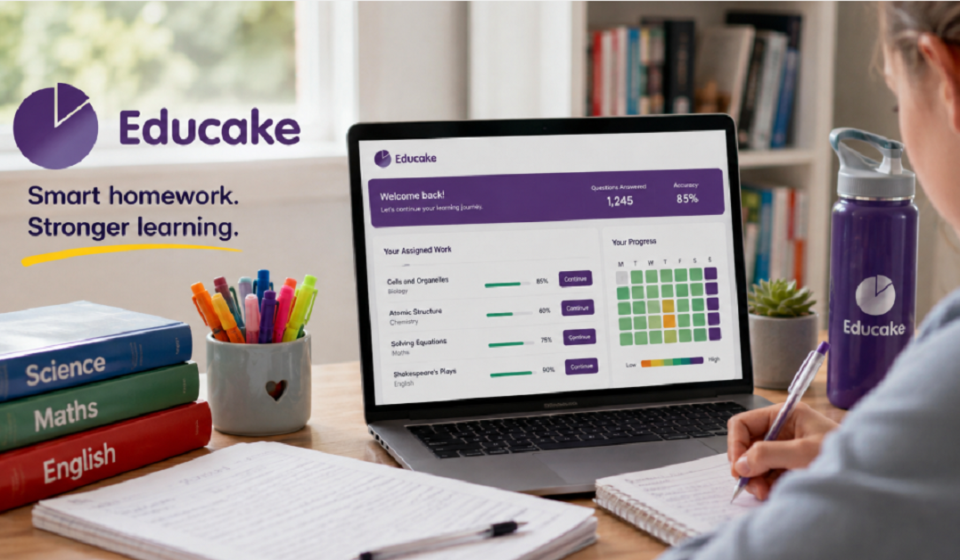
Students and teachers can view a Track Progress page inside Educake. This shows which topics are strong and which ones need more work.
Instant Auto-Marking
Every quiz answer is marked automatically and instantly. This gives students immediate feedback instead of waiting for a teacher to grade their work.
Audio Questions & Accessibility
Educake includes audio questions to support different learning needs. This feature makes the platform more accessible for students with SEND (Special Educational Needs and Disabilities).
Benefits of Educake for Students and Teachers
Students benefit from instant feedback and quizzes tailored to their weak points. This makes revision faster and more focused than traditional study methods.
Teachers save time because Educake marks homework automatically. Clear reports also help them spot learning gaps across an entire class quickly.
- Instant feedback for students
- Automated marking for teachers
- Personalized quiz content
- Clear, class-wide progress reports
- Reduced weekly workload for teachers
How Useful Is Educake for Parents
Parents can support their child’s learning without needing teaching experience. Educake presents topics through short, structured quizzes that are easy to follow.
This makes it simple for parents to check what their child is studying. It also helps them understand where extra support might be needed at home.
What Makes Educake Different From Other Learning Tools
Educake focuses specifically on retrieval practice and spaced repetition, rather than general study content. This gives it a clear, science-backed learning method behind every quiz.
Unlike many general study apps, Educake also covers a wide mix of subjects beyond just science or maths. Its question bank is written directly by teachers and subject specialists, which keeps content closely tied to real exam requirements.
Common Mistakes Students Make While Using Educake
Some students rush through quizzes just to finish homework quickly. This reduces the benefit of retrieval practice, since answers aren’t properly recalled from memory.
Others ignore the Track Progress page, missing clear signs of which topics need more revision. Skipping the Revision Wizard’s suggestions is another common mistake, as it often points directly to weak areas.
Our team noticed these same patterns while testing Educake ourselves. Slowing down and actually using the built-in tools made a noticeable difference in how much stuck.
Conclusion
Educake is a browser-based learning platform, not a downloadable app in its current form. It supports students, teachers, and parents through personalized quizzes, instant marking, and clear progress tracking.
Its use of retrieval practice and spaced repetition gives it a strong learning foundation across many subjects. For anyone confused by the “app” search results, the real answer is simple: Educake works fully through a browser, with no download required.
Disclaimer:
This article is based on publicly available information and our team’s review of Educake’s features and functionality. We are not affiliated with, endorsed by, or officially connected to Educake or its developers.
Read more topics on :Instamagazine.co.uk