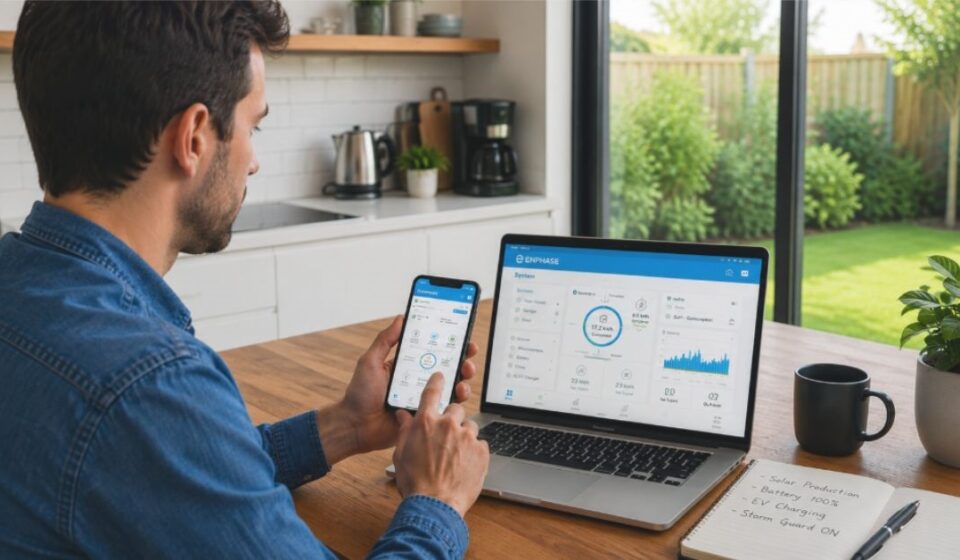

Managing a home solar system used to mean guessing how much energy your panels produced. The Enphase App changes that by putting real-time data in your pocket, connecting your solar panels, battery, and EV charger into one simple screen.
This guide covers everything you need to know, from its features to common problems and fixes.
What is the Enphase App?
Enphase Energy built the Enphase App as a free mobile application that lets homeowners monitor and control their solar, battery, and EV charging systems from a phone.
It comes in two versions. The homeowner version tracks personal system performance, while the Enphase Installer App helps professionals manage multiple customer systems and diagnose issues remotely.
Is the Enphase App Free?
Yes, the Enphase App is free to download and use for anyone with an Enphase Energy System, giving homeowners access to monitoring, alerts, and control features at no extra cost.
The app does not charge a subscription fee. Enphase bills some added services, like extended warranties, separately through its store.
Key Features Breakdown
The Enphase App bundles several tools into one dashboard. Each feature focuses on a different part of your home energy system.
Real-Time Monitoring (Status Tab)
The Status tab is the main screen of the app, showing how much energy your system is producing, consuming, and pulling from the grid at any moment.
Only the Live Status section updates in true real time, while other data on this tab refreshes at set intervals. We explain this timing in more detail further down.
Battery Monitoring & Storm Guard
If your system includes an Enphase IQ Battery, the app shows its current charge level and backup readiness, so you always know how much power is in reserve. This makes it easier to plan energy use before an outage happens.
Storm Guard runs quietly in the background. When it detects severe weather in your area, it automatically charges your battery to full so your home stays powered during a storm.
EV Charger Control & Charging Modes
Homeowners with an Enphase IQ EV Charger can manage charging directly from the app.
Three main modes are available. Green Charging uses surplus solar power to charge your vehicle automatically, increasing power as more solar becomes available. Scheduled Charging runs at a fixed time using grid power, while Manual Charging starts the moment you plug in.
System Profiles
The app lets you choose a profile that matches your energy goals, including Self-Consumption, Savings, Full Backup, and an AI Optimization mode in select regions. Each option changes how your system prioritizes solar power, battery storage, and grid use throughout the day.
Alerts & Notifications
The app sends alerts when something needs your attention, such as a sudden drop in production or a connectivity issue, so problems get caught early.
You can turn on push notifications through the app’s settings menu.
Grid Control & Dark Mode
Grid Control lets you simulate an outage to test how your home runs on backup power alone, so you can check your system’s readiness before a real emergency arrives.
Dark Mode simply switches the app’s background to a darker theme, which many users find easier on the eyes at night.
Understanding Data Refresh Rates
One of the most common points of confusion is why the app sometimes feels slow to update. Live Status is the only section that shows truly real-time numbers, while every other reading updates at fixed intervals rather than continuously.
If your IQ Gateway connects through Wi-Fi or Ethernet, data refreshes every five to fifteen minutes. On a cellular connection, updates happen only once every six hours.
Enphase App vs Competitor Apps
SolarEdge and Tesla are two other major names in home solar monitoring, each with their own dedicated app.
| Feature | Enphase App | mySolarEdge App | Tesla App |
| Solar Monitoring | Yes | Yes | Yes |
| Battery Monitoring | Yes | Yes | Yes |
| EV Charger Integration | Built-in for IQ EV Chargers | Built-in for SolarEdge EV chargers | Mainly for Tesla vehicles |
| Severe Weather Battery Prep | Storm Guard | Weather Guard | Storm Watch |
| Grid Outage Simulation | Yes | Not commonly offered | Not commonly offered |
All three apps auto-charge the battery before a storm, just under different names. The main difference is EV support: Enphase and SolarEdge work with their own branded chargers, while Tesla mostly shows charging data for Tesla vehicles.
Troubleshooting Common Issues
Most Enphase App problems fall into a few common categories, and knowing the fix saves time before contacting support. Our team has used the Enphase App directly, and this section shares what we learned from that hands-on experience.
If the app will not connect, check your home internet connection, then confirm the IQ Gateway is powered on and connected.
If data looks stuck, remember that only Live Status refreshes instantly. The “Understanding Data Refresh Rates” section above explains the exact timing for everything else. Closing and reopening the app can also clear a stale display.
For issues that persist, the app includes a built-in support chat. Go to the Menu, tap Support, and start a chat for direct help from Enphase.
Enphase App vs Old Enlighten App — What Changed?
Long-time Enphase users may remember the app under a different name.
Name & Branding Change
Enphase rebranded the app previously known as Enlighten into the Enphase App. The underlying account system and login process still connect to Enphase’s platform.
New Features Added
The updated app expanded beyond solar monitoring to include EV charger controls and battery-specific tools like Storm Guard and Grid Control, which were not part of the original Enlighten experience.
What Stayed the Same
Core monitoring functions, such as viewing production by month, day, or hour, remain part of the app. The web-based Enlighten platform also still exists for browser access.
Pros & Cons
Based on available user feedback and product information, here is a balanced look at the app.
Pros
- Combines solar, battery, and EV monitoring in one app
- Free to use for Enphase system owners
- Includes safety features like Storm Guard
- Offers a Grid Control test mode for outage preparedness
Cons
- Non-Live data does not update instantly
- Cellular-connected systems refresh data less frequently
- Some users report occasional syncing delays
- Full functionality depends on having compatible Enphase hardware
FAQs
Is the Enphase app free?
Yes, it is free for anyone with an Enphase Energy System.
How do I login to my Enphase account?
You sign in using your registered email, either with a password or a one-time verification code that Enphase sends to your email or phone.
What does the Enphase app do?
It monitors solar production, battery status, and EV charging, while offering alerts and control options for your home energy system.
Why does my data seem delayed?
Only Live Status updates instantly. See the “Understanding Data Refresh Rates” section above for the exact timing on everything else.
Conclusion
The Enphase App turns a home energy system into something you can understand and control from your phone. From real-time status checks to EV charging schedules and storm preparedness, it covers the full picture in one place.
Understanding how its refresh rates and features work helps you get the most accurate view of your system, without confusion or false expectations.
Disclaimer:
This article is for informational purposes only and is not officially affiliated with or endorsed by Enphase Energy. Features, pricing, and app behavior may change over time, so always check Enphase’s official website for the latest details.
Read more topics on :Instamagazine.co.uk